Installation
Installing the Plugin
Download the Plugin here
Note: This plugin requires the output from the FTMAP server
If you have trouble installing, the solution might be found in our Troubleshooting page.
LINUX/MAC INSTALLATION
The installation directory could be anywhere you wish. In my computer it's: /home/lvotapka/src/vmdplugins/
-
unzip the tarball to a directory of your choice by using these commands:
                        mv ftprod.tgz installation directory # move FTProd to your installation directory

                        cd installation directory # navigate into installation directory

tar -xzf ftprod.tgz -
add these three lines of code to your .vmdrc file (usually located in your ~/ directory. If you do
not have one, download a sample .vmdrc file) It is recommended that you
place the downloaded .vmdrc file in your ~/ directory
                        set auto_path "$auto_path installation directory" ;#(NOTE: this may require the absolute
                        path)

                        vmd_install_extension ftprod ftprod_tk_cb "Analysis/FTProd"

                        set ::ftprod::FTPRODRUNDIR installation directory/ftprod ;# the external program fast_gaussian
                        cannot be run without this line: fast_gaussian speeds up some calculations
Note: if you have write permissions to the VMD plugin folder, you can simply add the "ftprod" folder to the directory "<VMD main directory>/plugins/noarch/tcl/" and you only need the second and third of the above three lines placed into your .vmdrc file.
Another Note: You must have the line:
menu main on
-
Now open VMD to see if it works
Click Extensions > Analysis > FTProd
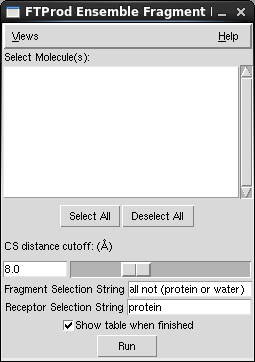
WINDOWS INSTALLATION
- unzip the tarball to the plugin directory (probably located somewhere like C:\Program Files\University of Illinois\VMD\plugins\noarch\tcl\. )
- Make sure that the unzipped folder is named "ftprod"
-
add this line of code to your vmd.rc file (usually located in the same directory as the executable:
such as C:\Program Files\University of Illinois\VMD) If you do not have one, download a sample .vmdrc file)
vmd_install_extension ftprod ftprod_tk_cb "Analysis/FTProd" -
Now open VMD
Click Extensions > Analysis > FTProd
Next
Plugin Developer
Lane Votapka
Contributors
Rommie Amaro, Ozlem Demir, Rob Swift,
Robert Malmstrom
Testers
Rachel Li, Francesca Bardinelli, Pek Ieong, Emilia Pecora de
Barros, Sophia Hirakis, Saira Ikram, Eric Chen