Simulation Snapshots
FTProd can also be used to compare the snapshots or RMSD clusters of a dynamics simulation
The snapshots or frames must be run through FTMAP before they can be examined by FTProd. In the tutorial files, we have included several snapshots of a simulation that have already been run through FTMAP. As always, you as the user are welcome and encouraged to use the FTMAP server directly to dock probes into the pdb-formatted frames/structures that you're interested in.
Loading the snapshots
- Make sure you are in the "ftprod_tutorials" directory
- If VMD is open, then close and restart it.
- In the VMD Main window, go to Extensions → Tk Console. The Tk console will appear.

-
In the Tk console, enter this command: "
loadpdbs 1 7 tbret2_%d.pdb"This will load the files:
- tbret2_1.pdb
- tbret2_2.pdb
- tbret2_3.pdb
- tbret2_4.pdb
- tbret2_5.pdb
- tbret2_6.pdb
- tbret2_7.pdb
NOTE: "loadpdbs" is a command included with FTProd to load several structures whose names contain sequential numbers. Notice that the "%d" string represents the series of integers while the rest of the files' names are identical.
-Alternatively-
You can load the structures one by one using the VMD Molecule File Browser window by going to File → New Molecule in the VMD Main window.
Align the snapshots
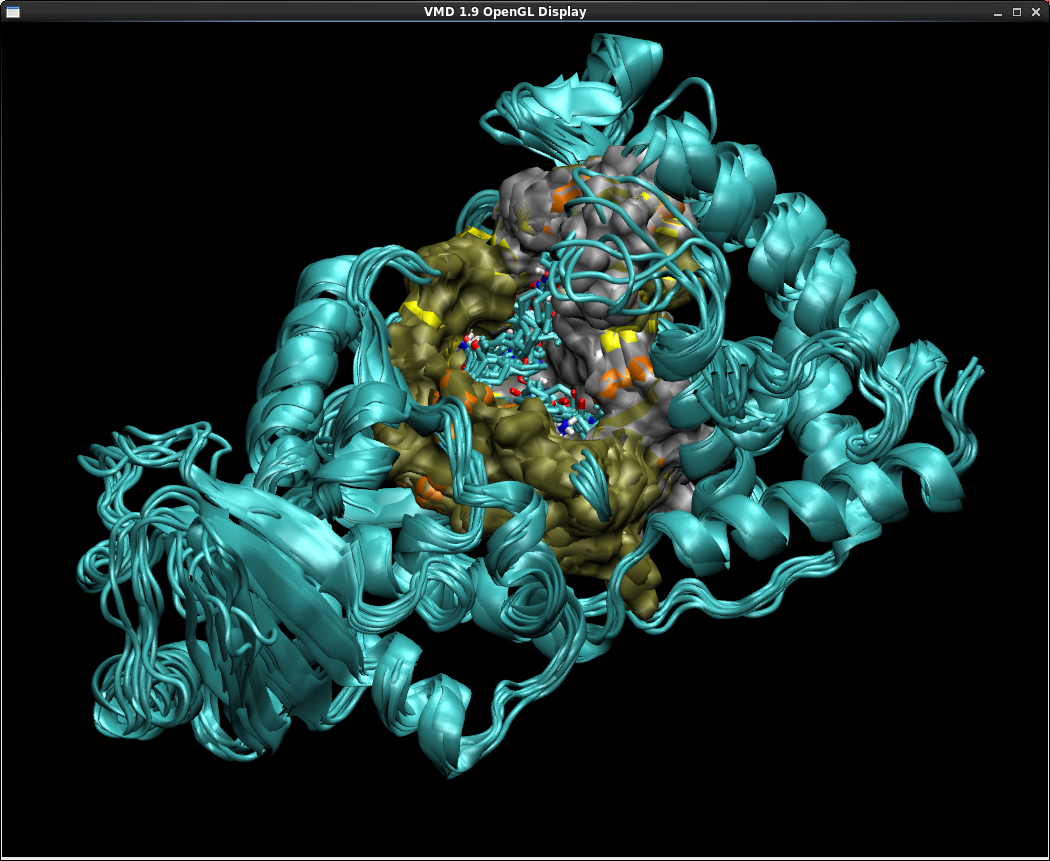
This time, since these structures aren't different mutants but are simply configurations of the same molecule, we are going to use the RMSD trajectory tool to align them.
- In the VMD Main window, go to Extensions → Analysis → RMSD Trajectory Tool. The RMSD Trajectory window will appear.
- Make sure that the textbox in the top left portion of the RMSD Trajectory window says "protein"
- In the bottom half of the RMSD Trajectory window, select all the tbret2 structures.

- Click "Align". The VMD display should show that all the tbret2 structures have been overlayed.
- Close the RMSD Trajectory window.
Run FTProd
- In the VMD main window, go to Extensions → Analysis → FTProd. The FTProd main window should appear.
- In the "Selected Molecule(s)" listbox, select the seven tbret2 structures. Or alternatively, click the "Select All" button below the list to select all loaded structures.
- We are going to change the default clustering method used by FTProd to find the cross-structural binding sites. To do this, in the FTProd main window, go to Views → Settings. The FTProd Advanced Settings window should appear.
-
In the section labelled "Cluster by:", select the option for the "Greedy Method". Click "OK"
NOTE: changing the clustering method will change how the Consensus Sites are grouped. The Greedy Method always takes the highest-scoring CS, removes anything within the cutoff, and then repeats with the next highest CS and so on. - In the FTProd main window, set the "CS distance cutoff" to 15.0. The Greedy Method typically requires much larger cutoff values than the other clustering methods.
- Leave the other options at their defaults and click "Run"

Examine the Results
- The FTProd table window should appear.

- By clicking and dragging the mouse across the colored rectangles in the Table window, and using your keyboard's SHIFT and CRTL keys if necessary, try to select the Consensus sites that appear in all 7 structures. These likely correspond to binding sites that remain essentially unchanged and capable of binding ligands throughout the duration of the simulation.
-
Now try to select a Consensus site that exists in only one or two of the structures.
A site like this is probably transient, and exists relatively infrequently throughout the course of the protein's dynamics. - By looking at the Table window, one can also more easily see which configurations are the most similar to/different from the others. FTProd has been designed to make cross-structural site characterization easier.
Next
Plugin Developer
Lane Votapka
Contributors
Rommie Amaro, Ozlem Demir, Rob Swift,
Robert Malmstrom
Testers
Rachel Li, Francesca Bardinelli, Pek Ieong, Emilia Pecora de
Barros, Sophia Hirakis, Saira Ikram, Eric Chen